One Complete Run
$1.99 one time
One full Parts 1–5 calculator scenario. See a complete retirement comparison before deciding whether you need more.
Run the calculatorUse the figures from your latest Pension Fund statement to compare withdrawal choices, future retirement dates, and monthly-pension estimates—without rebuilding spreadsheets for every scenario.
Start with one complete answer for $1.99, or choose ongoing access if you already know you will compare several scenarios.
One full Parts 1–5 calculator scenario. See a complete retirement comparison before deciding whether you need more.
Run the calculatorUnlimited calculator scenarios. For members who know they will compare withdrawal choices and retirement dates.
Start monthly membershipUnlimited calculator scenarios for a full year. Keep access while your statement, earnings, and retirement date change.
Start annual membershipA 30-minute phone or video walkthrough to help you navigate the planner with your statement, plus one month of full calculator access after your appointment is confirmed.
Request a walkthroughRequest first—no payment is collected until availability is personally confirmed.
Already a member? Your current subscription, price, and access remain unchanged.
Member sign inSee the monthly-pension tradeoff between no withdrawal, an excess withdrawal, and a maximum projected withdrawal.
Explore future service points and estimated pensionable earnings without re-entering your statement every time.
Understand which statement values drive an estimate and what to confirm with the Pension Fund before finalizing.
Start with a current statement, compare the choices that matter, then use your estimate to prepare focused questions for the Pension Fund.
Independent planning estimator; the Pension Fund’s official calculation and election always control.
These answers explain how to use the planner responsibly. They are general educational information, not official Pension Fund, legal, tax, or financial advice.
Use one latest Pension Fund statement and copy every blue “On your statement” field exactly: Date of Birth, Appointment Date, Statement Date, the Service Retirement Without Final Withdrawal top number, Service Retirement With Final Withdrawal bottom number, Available Final Withdrawal, Tax Free Amount, ASF Ending Balance, Required Amount, Assigned Contribution Rate, Cost Per Thousand, ITHP Waiver, and Additional 50%. Do not mix numbers from different statements.
Enter dates exactly as printed. For dollar fields, copy the stated amount—not a rounded estimate, gross pay, take-home pay, or a number from a different section. “Top Number” means the monthly amount labeled Service Retirement Without Final Withdrawal; “Bottom Number” means the monthly amount labeled Service Retirement With Final Withdrawal. The planner uses those figures as its statement baseline. Your planned retirement and sit-down dates are the only date assumptions you choose yourself.
Chapter 312 now gives covered Tier 2 NYPD Pension Fund members the same salary-base treatment as pre-July 2000 Tier 2 members. For appointments from July 1, 2000 through June 30, 2009 with retirement on or after September 28, 2026, the salary base is the higher of final 12-month pensionable earnings or the highest eligible average from three consecutive years of service. The update adds an eligibility check, two PPF-confirmed salary-base fields, and the resulting estimated adjustment to the planner.
If the update applies to you, the calculator will display the Chapter 312 section automatically after you enter your Appointment Date and planned retirement date. Enter only (1) the PPF-confirmed Final 12-Month Pensionable Earnings and (2) the PPF-confirmed Highest Eligible 3-Year Average. The calculator selects the higher number. Do not use gross payroll, terminal leave, or a self-calculated overtime total. If your statement was issued before September 28, 2026, ask PPF for a revised estimate or confirmation of the eligible figures.
No. This law changes the salary-base comparison for covered members. It does not change final-withdrawal rules, Required Amount, Tax Free Amount, ASF balance, Cost Per Thousand, or the official Pension Fund election process. Official PPF calculations and limits always control.
A statement is a snapshot. Later pensionable payroll, overtime, credited service, contributions, interest, actuarial factors, Fund corrections, and administrative determinations can change the official result.
No. It does not retrieve payroll or Pension Fund records. Recent pensionable earnings affect an estimate only when they are already reflected in the official figures you enter or in an estimate you provide.
Ask which payroll date and pay periods were included, whether all pensionable overtime was posted, what service was credited, and which Cost Per Thousand and account balances were used.
The planner is designed for the Tier 2 service-retirement scenarios described on the site. Do not rely on it for disability, vested, death-benefit, court-order, or other special determinations.
The Pension Fund may update earnings, service, contributions, interest, balances, factors, deductions, and elections. Only the official Pension Fund determination establishes the final benefit.
Member comparisons are educational examples, not promises that another member will receive the same result.
Tier 2 member • approximately 21.15 years of service • $150,000 reported final withdrawal
Context matters: the member reported additional pensionable overtime after the statement baseline. The reported difference was $86.69 per month. This is not an official validation or guarantee, and the Fund's finalization may differ from a sit-down result.
Members may submit feedback about ease of use or an anonymized estimate-to-result comparison. Do not send Tax IDs, Social Security numbers, shield numbers, passwords, complete statements, or payment-card information.
Submissions may be reviewed, shortened for clarity, and published only with permission. Results are labeled as member-reported and are never presented as official Pension Fund determinations.
Contact SupportThis is a demonstration using a mock Pension Fund statement and fictional sample results. It shows the type of information the full planner turns into retirement comparisons.
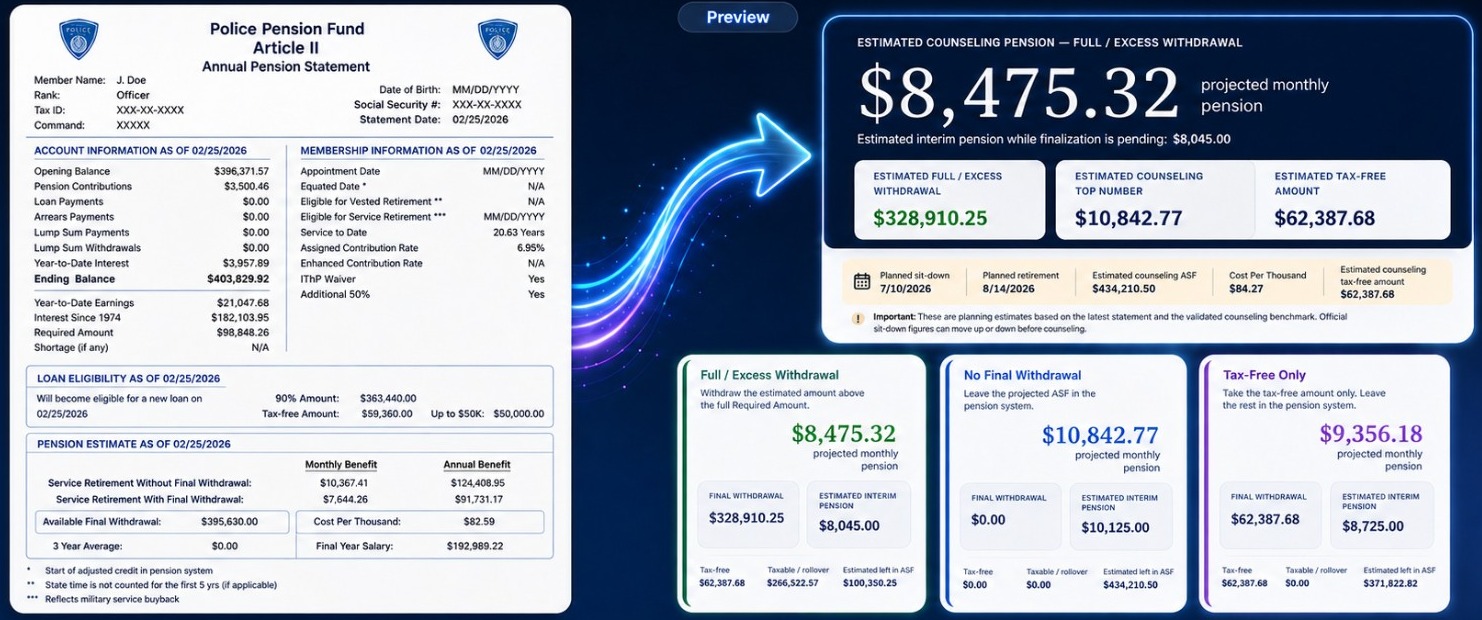
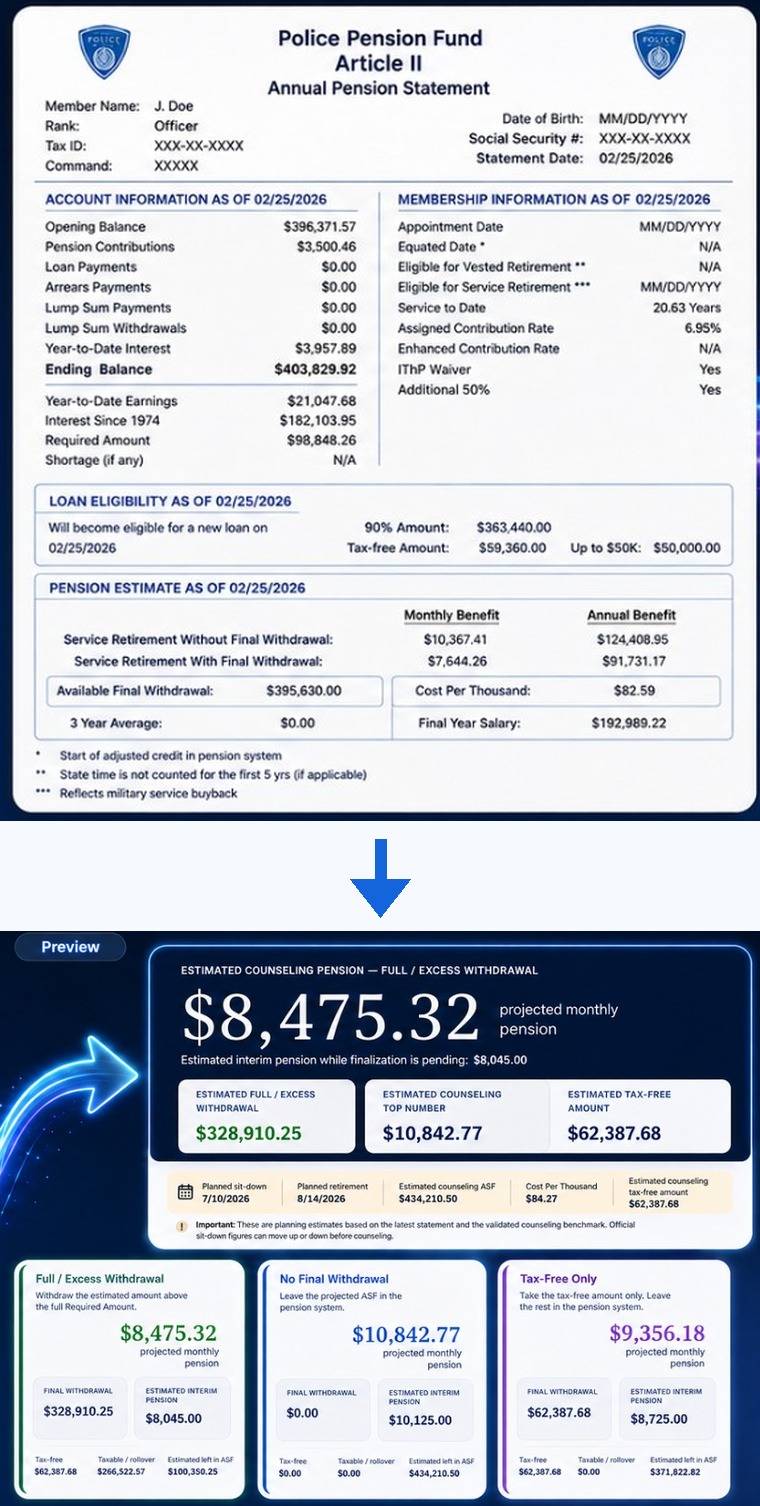
Run one complete scenario for $1.99, or choose unlimited membership when you need to compare more possibilities.
A planning tool for comparing estimates—not an official Pension Fund calculation. Confirm important decisions directly with PPF.
See access options